How to get my blog index and appear in Google quickly

6 comments
loading...
The newbie blogs are increasing day by day, people so often creates a blog and waits for Google to do all the things like crawling and indexing, sometimes when it does not happen they lose their patience in the blog and search engines

What is Blog index
The Google is an Serious task master it not allows any easy task, if you want to get your blog in search results you must follow some simple but effective tasks, before that lean a few basics about how Google works


Google bot is also known as bot or spider, was an auto-programmed software which does the fetching job. Crawling is searching for the new webpages and adding to the list by Google bot regularly, it does this search by using links.
Indexing is Processing of information which it crawls before into an Big Compilation, it do not index flashy files , but it takes on ALT attributes and title tags during indexing


Now going to the real subject of this article, there are some genuine ways for your blog to get notified by search engines easily

1) Submit your Site map to Google Webmasters

The Sitemap is an list of all pages from your blog, which is in Accessible form to your Search engine Crawlers, you must create one and submit to the Webmaster tools

Procedure for submitting your Site map

1) Log in to the Google Web Master Tools

2) Click on the blog title which you want to add Sitemap

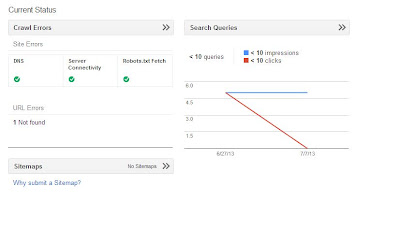
3) After an window will appear like below, click on that "Sitemap"
What is Sitemap

4)  The Sitemap will redirects to this page, at the top right corner there is Add/Test Sitemap, click on that


5) Now we get this window like below, add the below given code in that box


atom.xml?redirect=false&start-index=1&max-results=500


6) Now submit the Sitemap, and refresh your page

7) Your submission was over, Google will take some time to index , Be patient

Note- This Sitemap is for only 500 posts, if your blog has more than 500 just change the number 1 and 500 to 500 and 1000 in above code, the code looks like this when we change

atom.xml?redirect=false&start-index=500&max-results=1000

2) Effectively use Social media

This is very helpful if you use neatly, sharing your blog links on your social profiles like twitter and Facebook fan pages, Youtube accounts, Linkedin and Stumbleupon will give you enough visibility for your blog, because as i earlier said, Google crawls your blog by using the Links

I Developed my blog with this awesome fan page General Knowledge for all


3) Submit your blog to the Search engines

This is easy and best way to get quick attention to your blog, i will give the methods to submit your blog to search engines


  • Submit your blog to Google Search engine


1) Go to the Google Url Submission

2) Enter your Blog Homepage url and add your comments if it is necessary

3) Fill the Captcha in that and add your Url


  • Submit your blog to Bing and Yahoo Search engine


1) Go to the Bing Submission Page

2) Follow the Instructions and fill the captcha

3) Enter your Url and submit your blog

Note- Yahoo site explorer is merged into the Bing Webmaster tools, submitting to bing will cover the Yahoo also


4) Submission to Blog Directories

There are lot of blog directories which offer free service, when your blog has good amount of quality content , try to include your blog in popular blog directories like technorati


5) Social Bookmarking and Offsite content

Bookmark your blog with popular social bookmarking sites like Delicious and Stumbleupon and the Offsite techniques like Link Building, and submitting your Guest posts to the Similar niche of your blog. Do not submit to the Spammy sites, as Google do not likes to index a page on the Spammy links


Finally if you follow this ways, your blog will get indexed in Google Quickly and your blog posts will appear in the Search results

Also read : How to Get E-Mail Alerts directly to your Mobile By Free of Cost


loading...

Suni

5 Killer Ways to Drive more Traffic to your Blog

1 comments
loading...
Thinking about how to get more Traffic in Blog ? there are several ways to get more traffic, out of those some best ways are listed here.

Blogger is one of the Biggest platform to create your Blog and make an Strong online Presence, if we do it perfectly, blogs can work better than websites.


SEO for blogs


Top 5 Ways to Drive Quality traffic to your Blog

1) Social media and Social Bookmarking

The Social Media plays an key role in the Blog traffic, it makes your blog to index faster in Google and other Search engines and enough exposure to the Webmasters. Try to Share your Blog posts in Facebook, twitter and Stumbleupon frequently, but do not make it spammy.

Social Bookmarking also plays an key role , try to bookmark your sites in popular sites like reddit.


2) Guest posting and Blog Commenting

Guest posting is the Best SEO Method to get good rankings in webmasters, contact the similar niche popular bloggers and submit an Guest post, if they accept your post it also drives some good traffic.

Blog Commenting is not best way but still cool enough to get your blog notified, always try to comment on dofollow blogs, commenting on 10 dofollow blogs is better than 100 nofollow blogs


3) Proper SEO and Link Exchanges

SEO is Optimising the Blog for Search engine, if you follow proper SEO techniques you can easily get organic traffic

Link exchanges are leaving your link to other blogger and linking their blog link in your's, it is similar to give and take type


4) Good Content and Proper Navigation

If you write unique content , people tends to read more times and they wish to come to your blog whenever it is updated

Proper Navigation is designing your site such that all the contents are properly listed and easy to read


5) Good template and  Good Title

The template must be selected at the term of their speed, if the blog does not load faster, visitors will get frustrated and leaves your blog

The good title must be selected to get proper attention from the readers and it should tell about your blog , select according to your niche and make the title short and sweet


Also read : Best ways to get more likes for your Facebook Fan Page

loading...
Suni

Best Google Reader Alternatives - Feedly, Digg reader, Netvibes

0 comments
loading...
Yes, Google reader is going away, it is painful for so many people. To be frank we can get alternatives for Google Reader, but never an Replacement of Google Reader

The Date for Shutting down of Google Reader was on July 1st 2013, it seems to be it is not so far from today, i had collected some Alternatives that competes with Google Reader and will Ease your Pain.


1) Feedly

What is Google reader


Feedly can be an real boon if you used properly, It will support all platforms, recently it introduced the Web reader in addition to the Android and iOS apps. It is designed well and it looks like an Newspaper which Google reader readers must not wants. Anyway it looks good when you need your Needs badly


2) Diggreader


Digg's reader is also an good alternative, it came to the market as an rookie,  now it gathers some hope of beating some big companies. The Digg's reader has some social integrity flavor and clean design which differs from all.

This includes built in Instapaper button, Thumbs up and Thumbs down Digg Integration, the inclusion of these social media has given a Slight edge over than Feedly for Digg Reader


3) Netvibes


It is an Powerful RSS feed reader, lot of Customisation options are there but there is no Mobile Support. You will get really tired by looking always in the Computer, it also has some Settings that will enable you to create some specific feeds and Widgets for your specific needs


4) NewsBlur


It replicates the Google reader, you can try them once when you visit their site, but the free accounts will get only 64 feeds which is not good. If you really need some real feed experience, we want to spend some Bucks on it, Yearly Subscription amount is only $12


5) AOL Reader


It is simple, elegant and stylish which looks like Google Reader,  and had all the options of viewing in mobile. AOL developed Android and iOS apps for your mobile comfort and it is worth to have a try as a alternative for Google Reader


6) Flipboard


It is simple heavy image feeder, if you are subscribed large image feeds it gives you an good magazine type layout in your Android and iOS phones which still not in Computers, It is an good alterantive to try for the Google Reader


Thanks for reading this, also check Best alternatives of Google Adsense
loading...
Suni

Free Professional Blogger Templates download

13 comments
loading...
Hi friends, today i am going to discuss about the Blogger templates which are the body of an blog. The template plays key role in your business, because if you work on your template it gives you lot of extra benefits in the site architecture and looks, which is better than Wordpress.

I listed some Free Blogger templates which are SEO oriented and Professional look, finally an good asset to fulfill your blogging dreams, it also gives tough competetion to wordpress which is somewhat ruling the blogging platform

1) Sensational blogger template

Demo - Download

Best premium blogger templates


  • A Good looking blogger template which was originated in Wordpress, converted to blogger
  • It was Three Column Layout and social media icon set
  • It was neatly SEO optimised and Good features like Threaded comments and contact me widget

2) Bresponsive blogger template


  • It is best Premium blogger template released by spicytricks
  • Good thing is it is Responsive and plain layout which eliminates unnecessary coding 
  • It has a Good professional touch

3) New Magazine Blogger template


  • It is perfect for Blogger tutorials cum magazine type blogs
  • It comes with the Prebuilt drop down menus and social media icons
  • It is highly optimized for adsense and SEO 

4) Metro simple blogger template


  • It is simple template with two columns and it is ads ready
  • It has Social Bookmarking icons and Slideshow, Drop down menu
  • We can adjust and edit as like as you, it is very easy to customize


5) Techmatters Blogger template


  • It is two sidebars and three columns based template
  • It has fixed width and Top Navigation widget and it is adapted from wordpress
  • It is perfect premium blogger template for technology related blogs


Thanks for reading, also check the Best Alternatives for adsense
loading...
Suni

Best and Top Alternatives to Adsense

1 comments
loading...
Adsense was the Publishing program from the google, as far as i know it is the leading money bank for bloggers and website owners due to its big heart. But it is so little when it was approving your application, there are lot of terms and regulations, sometimes it seems to be impossible to get adsense. I too faced this problem

What is google adsense


There are some alternatives that will compete with adsense, you can breahe easily now after reading this, but it takes a lot of hardwork and commitment to get success in your blog.


Chitika

Chitika is the next best to adsense, since adbrite was completely shut down due to their economic disaster happened a year ago.Chitika is easy to apply, it will approve your application easily, far more easier than adsense. it gives you silver and gold level ads depending upon your blog traffic

The payment is made by wire (50$ Minimum) and paypal ( $10 Minimum)

Go to chitika official website by clicking here


Bidvertiser

It is an good alternative, which provides some excellent ad formats which do not irritates you readers and xml readers ads and pop under ads are supported. The Payouts are timely and excellent, which they do not ask your Tax number also for your money transfer

The Payment is made by wire/check ( 100$ minimum) and paypal ( $10 minimum)

Go to the Bidvertiser website by clicking here


Infolinks

It is an in-text advertising master, whenever you place the mouse cursor on any word in blog it will pop up the advertising links, so it is some what irritant to the readers.Lot of New features are added in the infolinks, latest one was search widget add on. It is easy to sign up and good pay outs

The payment is made by check ( $400 minimum) or paypal ( $50 Minimum)

Go to the infolinks website by clicking here


Clicksor


It is the good publisher solution like infolinks,  it is good for small websites. It has lot of ad formats which will give you lot of opportunities on money making. It has good and decent CPR, CPA and CPC which is more good on money making.

The payment is made by Check or paypal, both can be pay out at minimum of $10

Go to clicksor website by clicking here


Kontera

Kontera resembles infolinks in their ad formats, it is more tough to get approved by kontera. It do not have any Difficulty in serving ads, you can install by single code. The Paypout is only for paypal, not by check

The Minimum payment for payout is $50

Go to kontera website by clicking here


loading...
Suni

How to Create a Blog - Free step by step procedure

8 comments
loading...
Blog is one of the free web service to you from the biggest internet giants. There is a lot of necessity for creating a blog, for sharing the thoughts, giving some useful information, and to express your ideas too. The blog is virtually an website type, it lacks in certain areas like bandwidth limitation, less storage, and   no own domain name.


How to Create a blog


yes, the blog will get their respective name in front of the page title ( e.g way2usefulinfo.blogspot.com ) , here the blogspot is the name added before the .com. It means you are hosting in the Blogger Platform. So let us come to the creating a blog, it is so simple, i will guide you with simple steps


  •  Create an Blog using Blogger


Blogger is one of the service that helps you to create your own blog, you just need your Gmail account to sign up for the blogger services
loading...
Suni

How to add Floating Social media share widget to Blogger

10 comments
loading...
The blog is an powerful media for your innovation and the screen that shows your writing skills too. More people are using blog for their personal needs, and some for earning some bucks of money.

For any we need some widgets to get your blog higher and higher stage, the content which you published in your blog was viewed by the lot of people. If you do not have any social sharing widgets, there is a less chance of getting your blog more into your target audience


Traffic boosting Social sharing widget


Normally an Social sharing widget is below the posts , but it lacks some good things, by overcoming this i am giving you an Beautiful widget which is an floating vertical share buttons, even the visitor scroll the page, the widget will appear to him, so there is lot of chances to share the content.


It had lot of popular media sites like facebook, pinterest and twitter and it will definitely boost the traffic of your blog. So please have this awesome widget in your blog...............

loading...
Suni

Some Must Known PROS and CONS of Blog Comments

0 comments
loading...
The Blogger is an Excellent platform for the People with innovative thoughts who want to share it in the Social Media with less effort.It has lot of features, so many of them are confused to keep or removing the Comments Box from your Blogger

What are PROS and CONS in Comments of Blog

So far as i know i am listing the PROS and CONS of the Blog comments, it is up to you
loading...
Suni

Powered by:

Way2usefulinfo © 2014. All Rights Reserved | Contact |